 SmoothPressure
One calm place for everyone’s numbers.
Log a reading in seconds, watch the trend settle, and share a clean report with the doctor — for yourself and the people you care for.
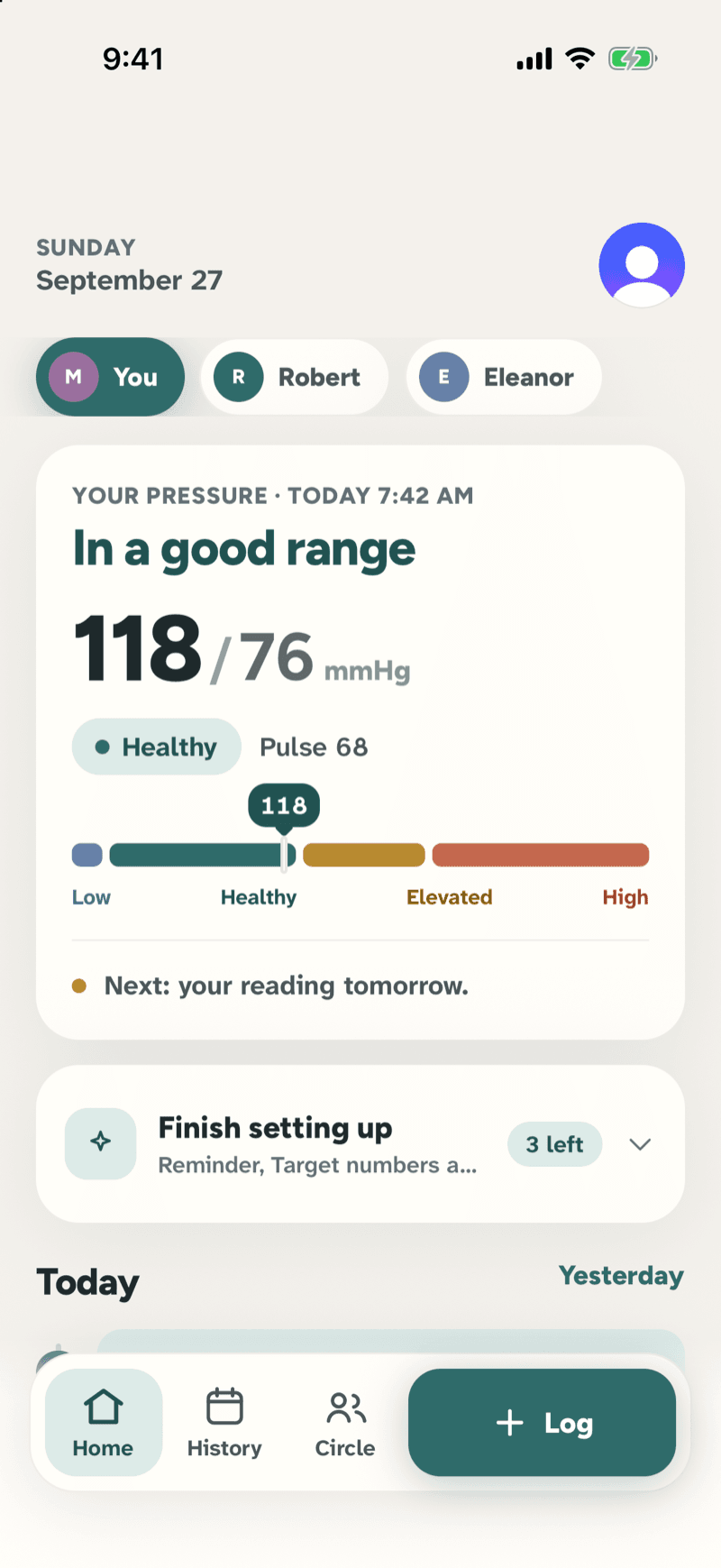
Real screens from the app · Home, Add reading, History, Trends, Circle
What you can do
Scroll through the four things it does well — the phone follows along.
Log a reading in seconds, not minutes
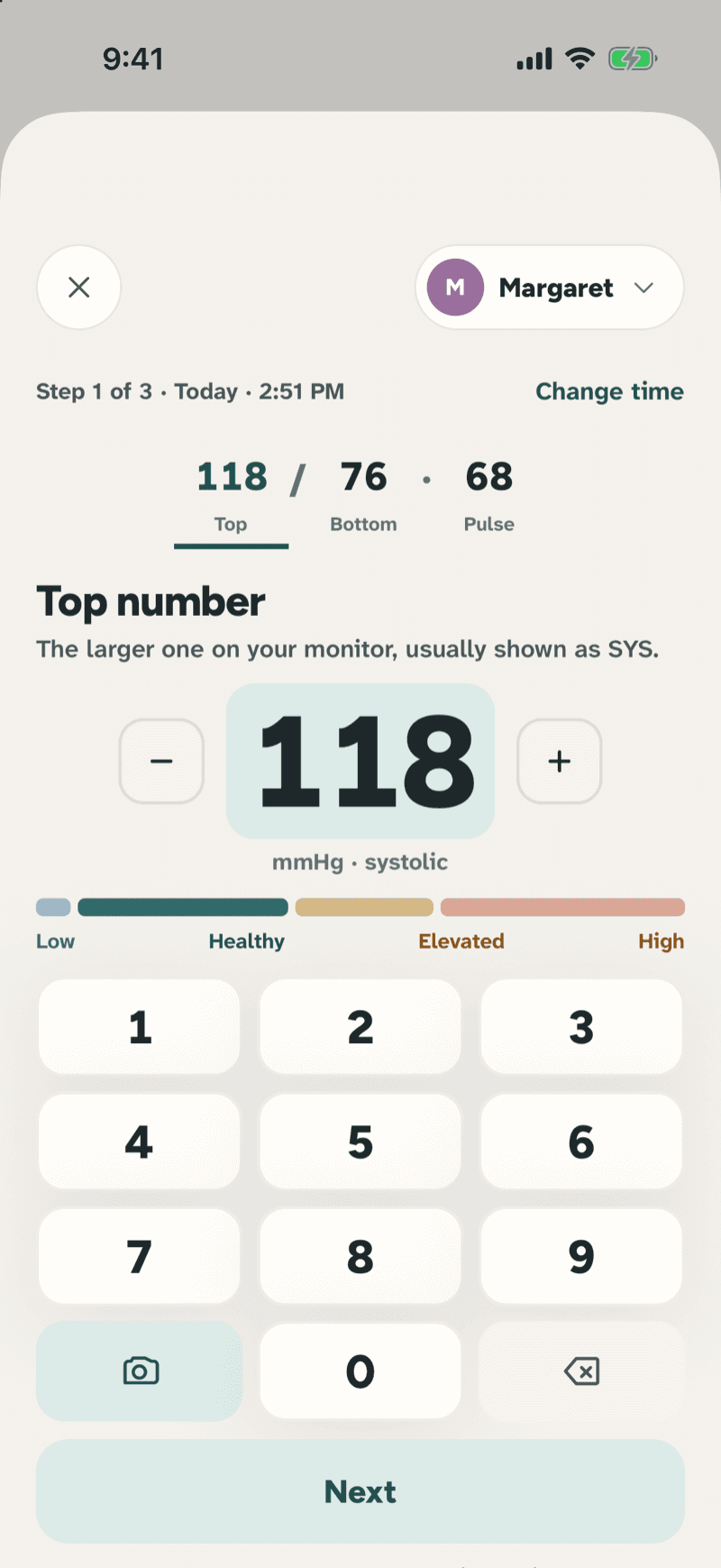
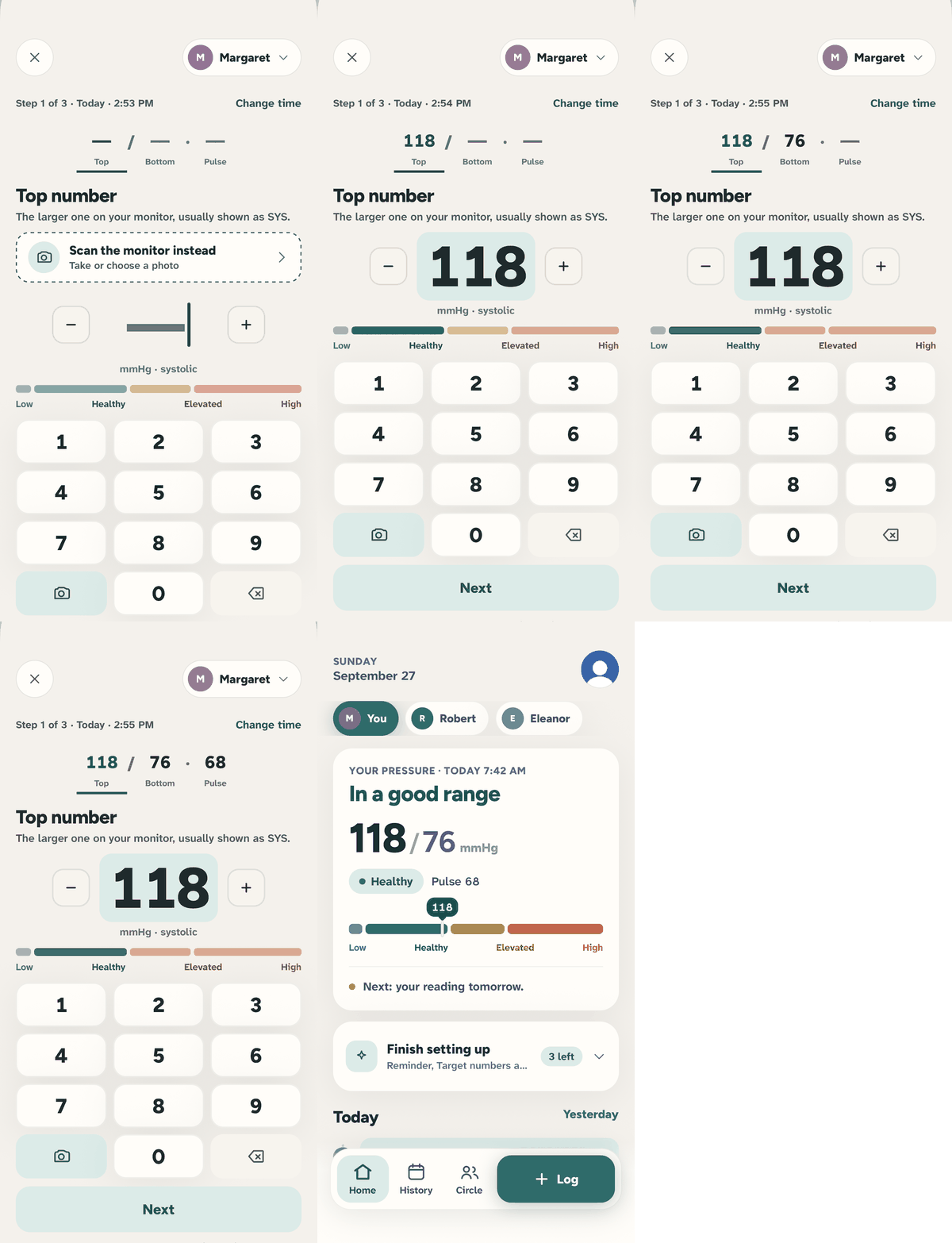
Big keys, one number at a time, and a scan button when you'd rather point the camera at the monitor.
The keypad asks for the top number, then the bottom, then the pulse. Each step explains what to look for on the cuff display. Skip the pulse if your monitor doesn't show it.
See whether things are settling
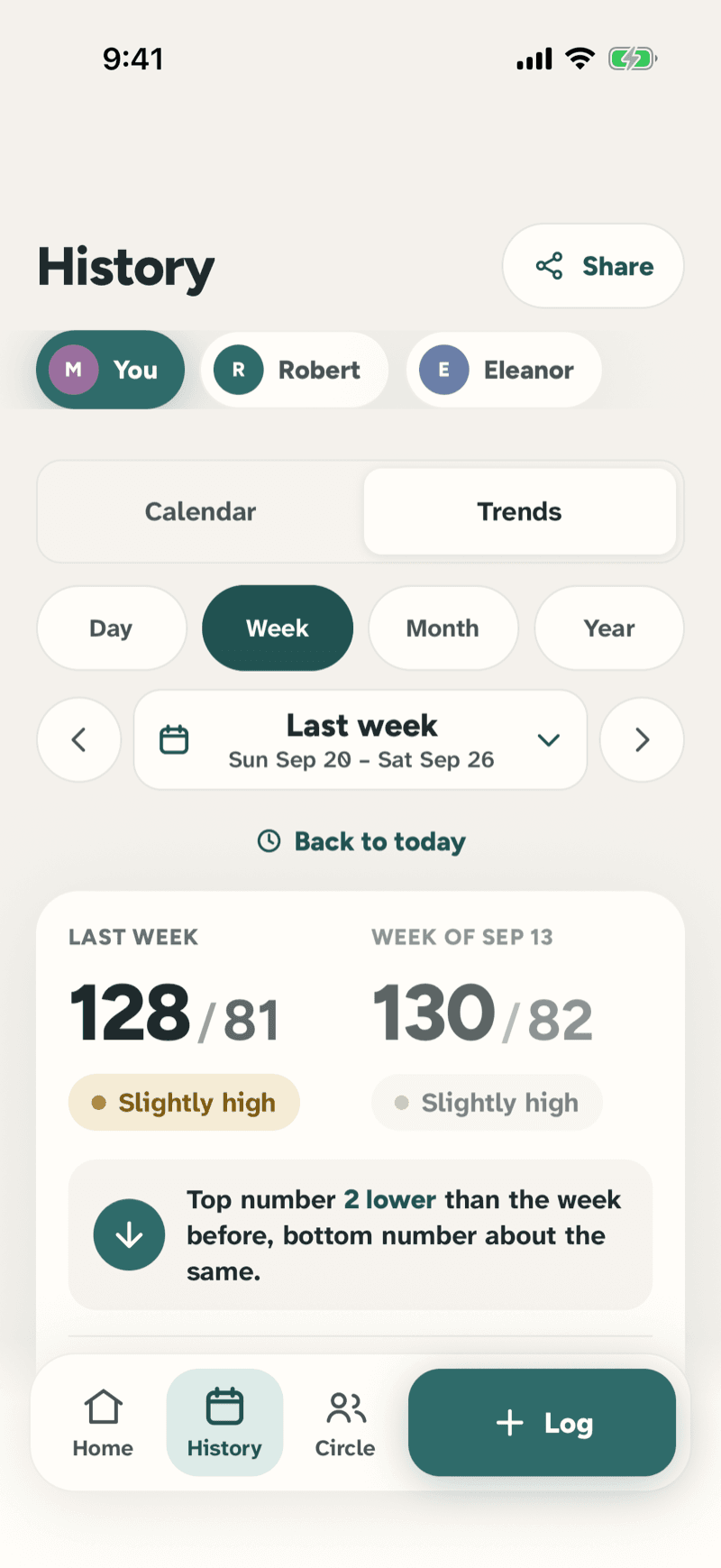
This week next to last week, in plain words: 'Top number 2 lower than last week'.
Trends compares periods and tells you what changed, then shows the chart underneath. No medical jargon, no red alerts.
Everyone you care for, in one place
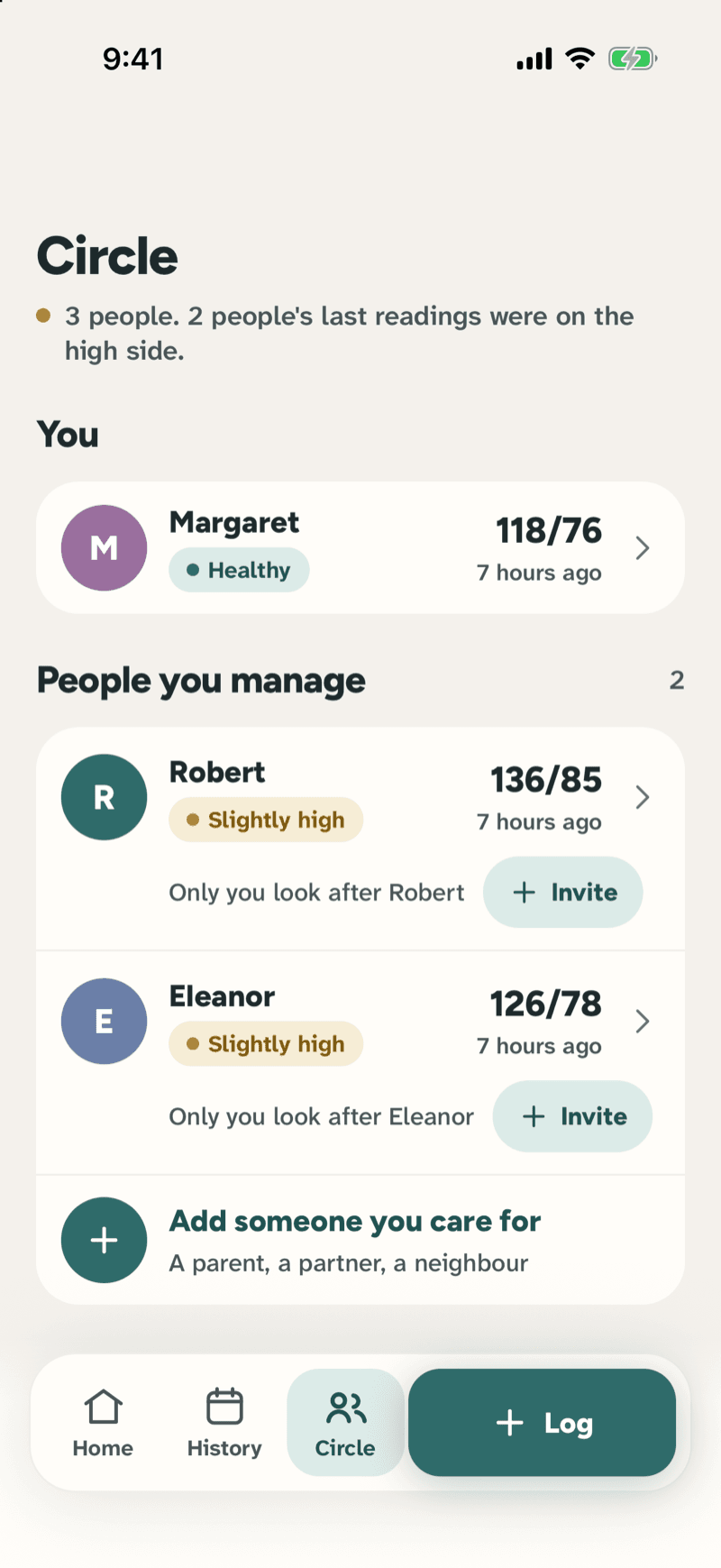
Mum, Dad and yourself side by side, each with their latest reading and who else is helping.
Add people you look after, invite family to see or log for them, and open anyone's page to see their history, trends and doctor report.
Walk into the appointment prepared
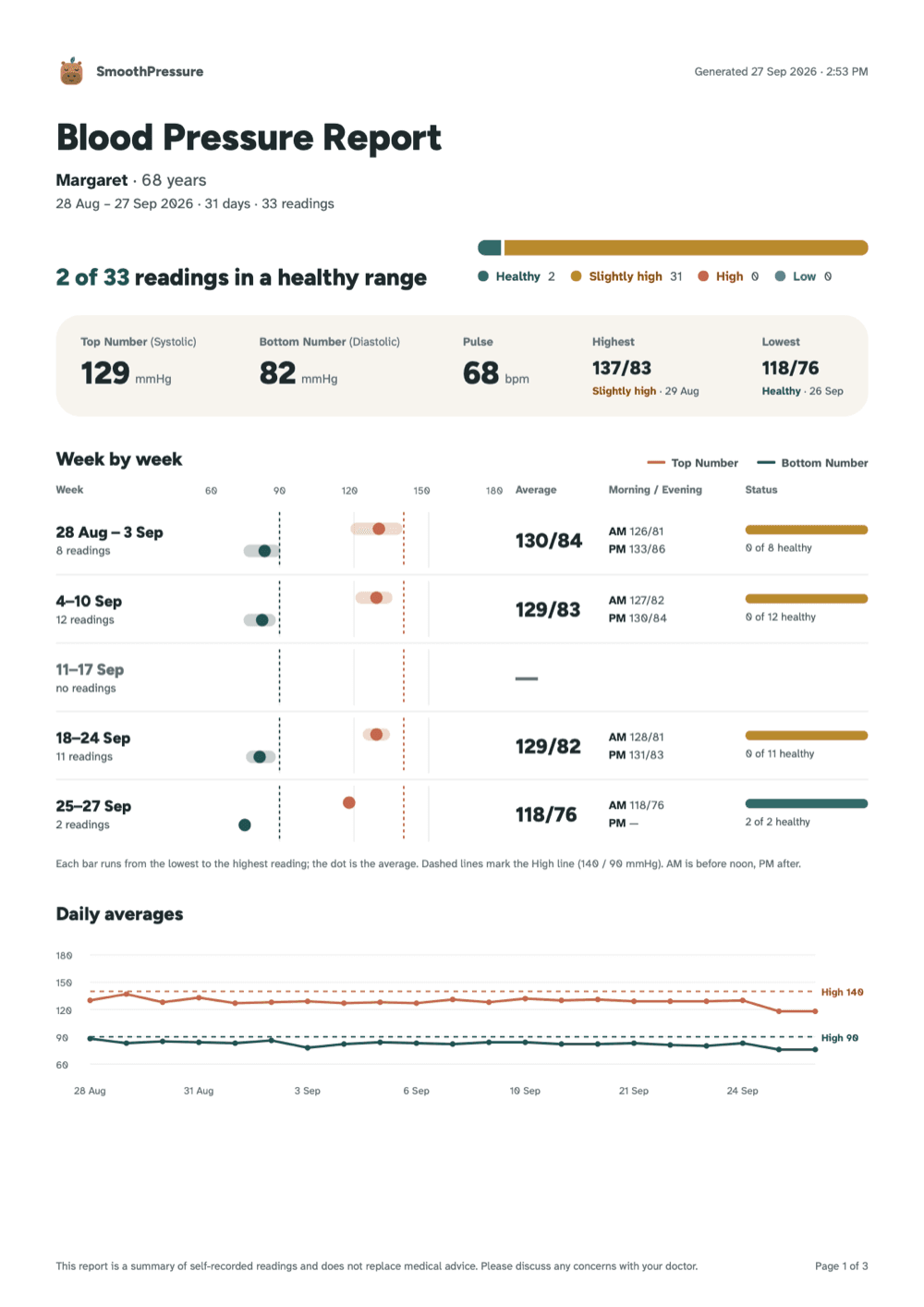
The first page tells the whole story: how many readings were in a healthy range, the averages, and each week side by side.
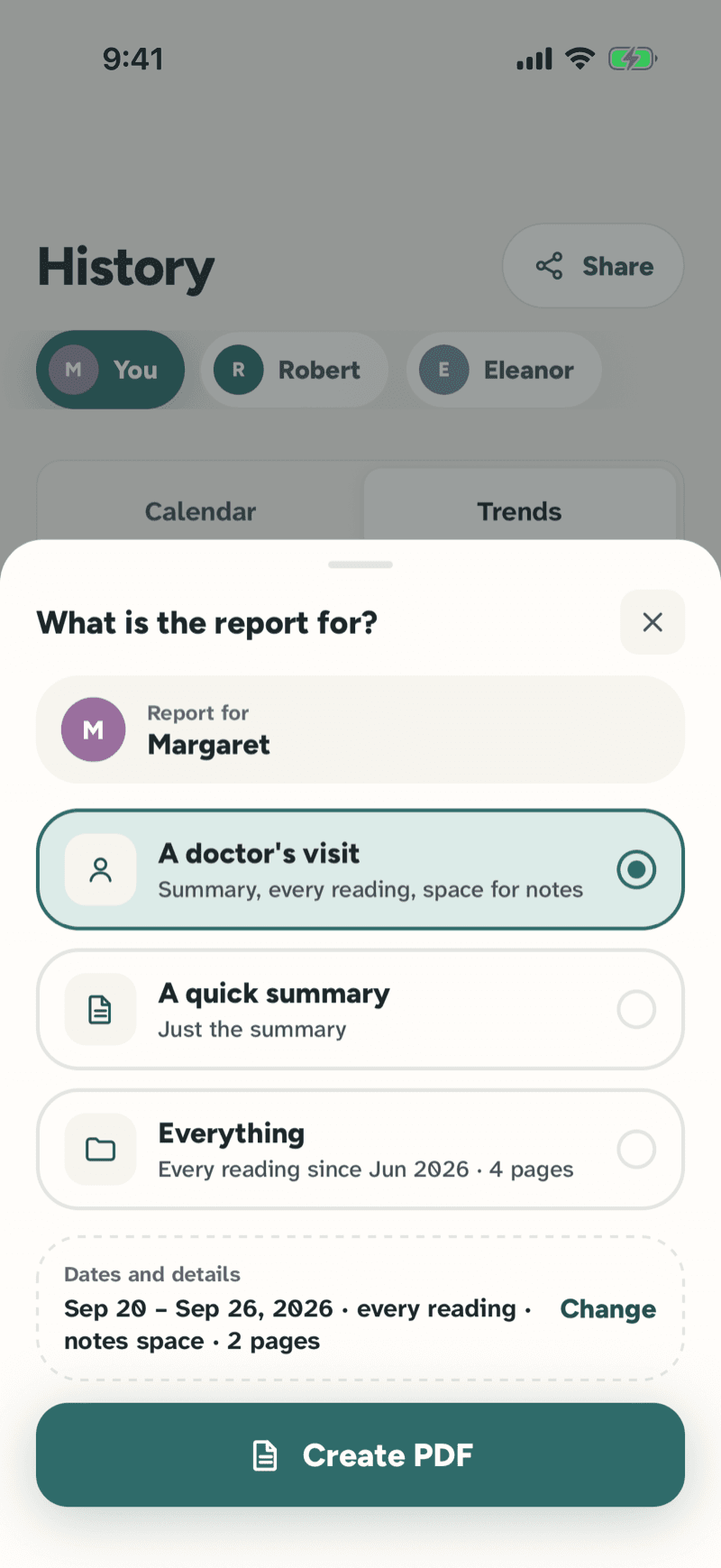
Choose a doctor's visit, a quick summary or everything, and change the dates if you need to. Every reading and space for the doctor's notes follow the summary. Made on demand and never stored: look at it first, then send it, print it or save it to Files.
How it works
From adding a person to handing the doctor a report — the everyday flow, on real screens.
Add the people you care for
Start with yourself, then add a parent or a partner from the Circle tab. Each person gets their own readings, their own trends and their own page.
Log a reading after the cuff
Tap Log, then type the top number, the bottom number and the pulse — the keypad moves on by itself. Or tap the camera and point it at the monitor display.
Check today at a glance
Home shows the latest reading in words and a colour, the pulse, and what comes next. Switch person with one tap on the chips at the top.
Watch it settle over the weeks
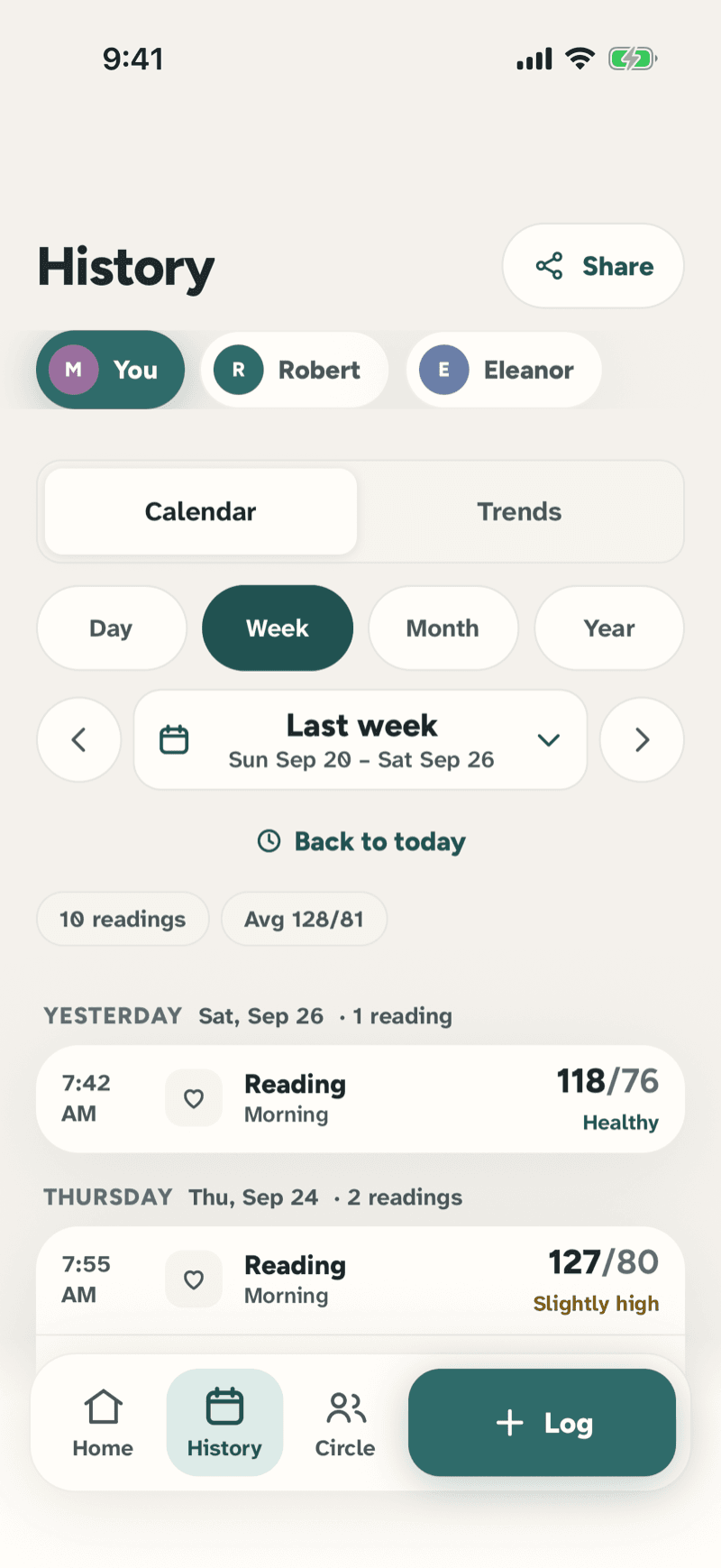
History keeps every reading grouped by day; Trends compares this week with last and says what changed in plain words.
Share a report with the doctor
Tap Share in History and say what the report is for: a doctor's visit, a quick summary or everything. Change the dates if you need to, then Create PDF.
Beyond the notebook
A notebook keeps a number. SmoothPressure keeps the story, for everyone in the family.
Take it anywhere you take care.
iPhone and Android apps are on the way — we’re putting the finishing touches on a calm, careful experience.
Coming soon to iPhone & Android