 SmoothPressure
What using it actually looks like
Five steps, on real screens: what you do, and what you’ll see. You need a home blood-pressure monitor — any brand — and a phone.
Add the people you care for
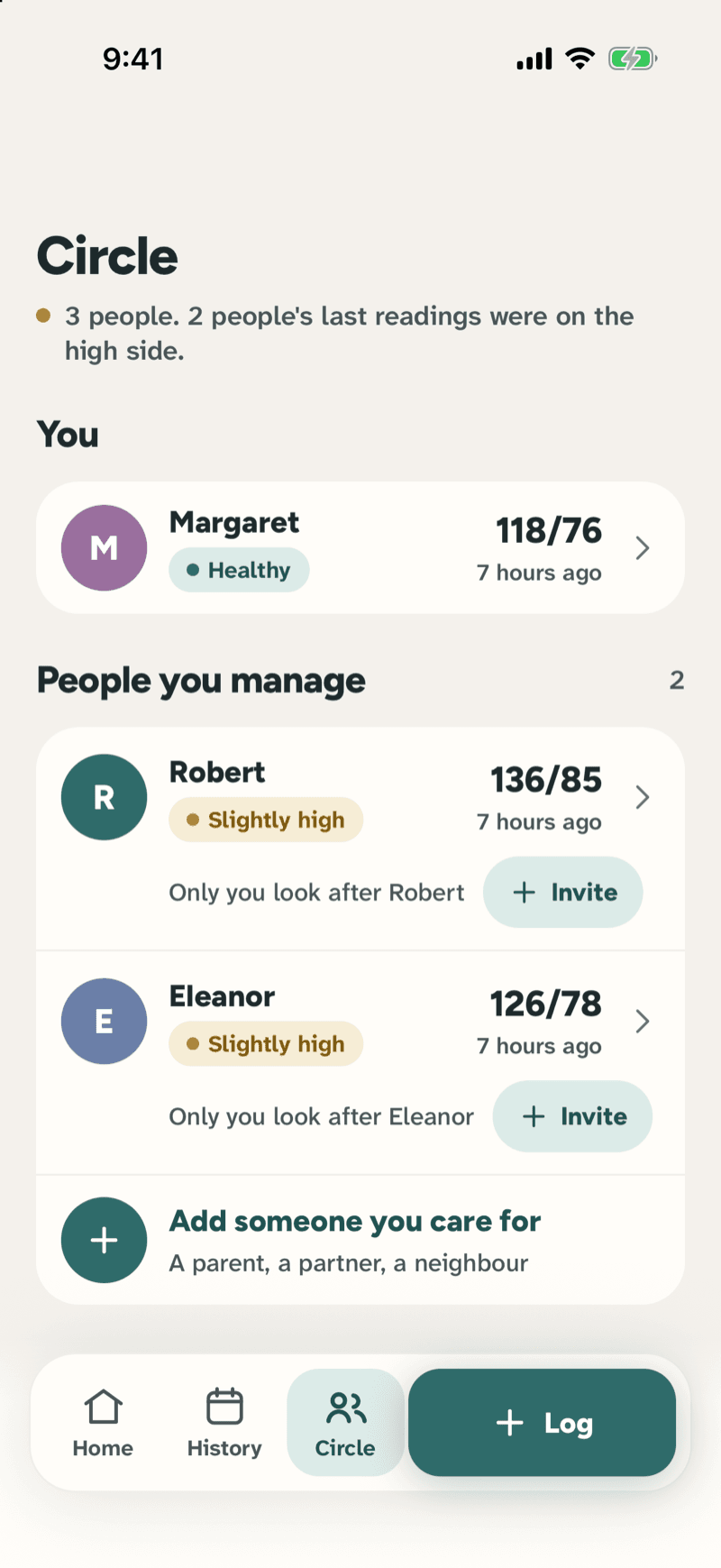
Start with yourself, then add a parent or a partner from the Circle tab. Each person gets their own readings, their own trends and their own page.
What you’ll see: Circle lists everyone with their latest reading and a Healthy / Slightly high / High label, and who else is helping with each person.
Log a reading after the cuff
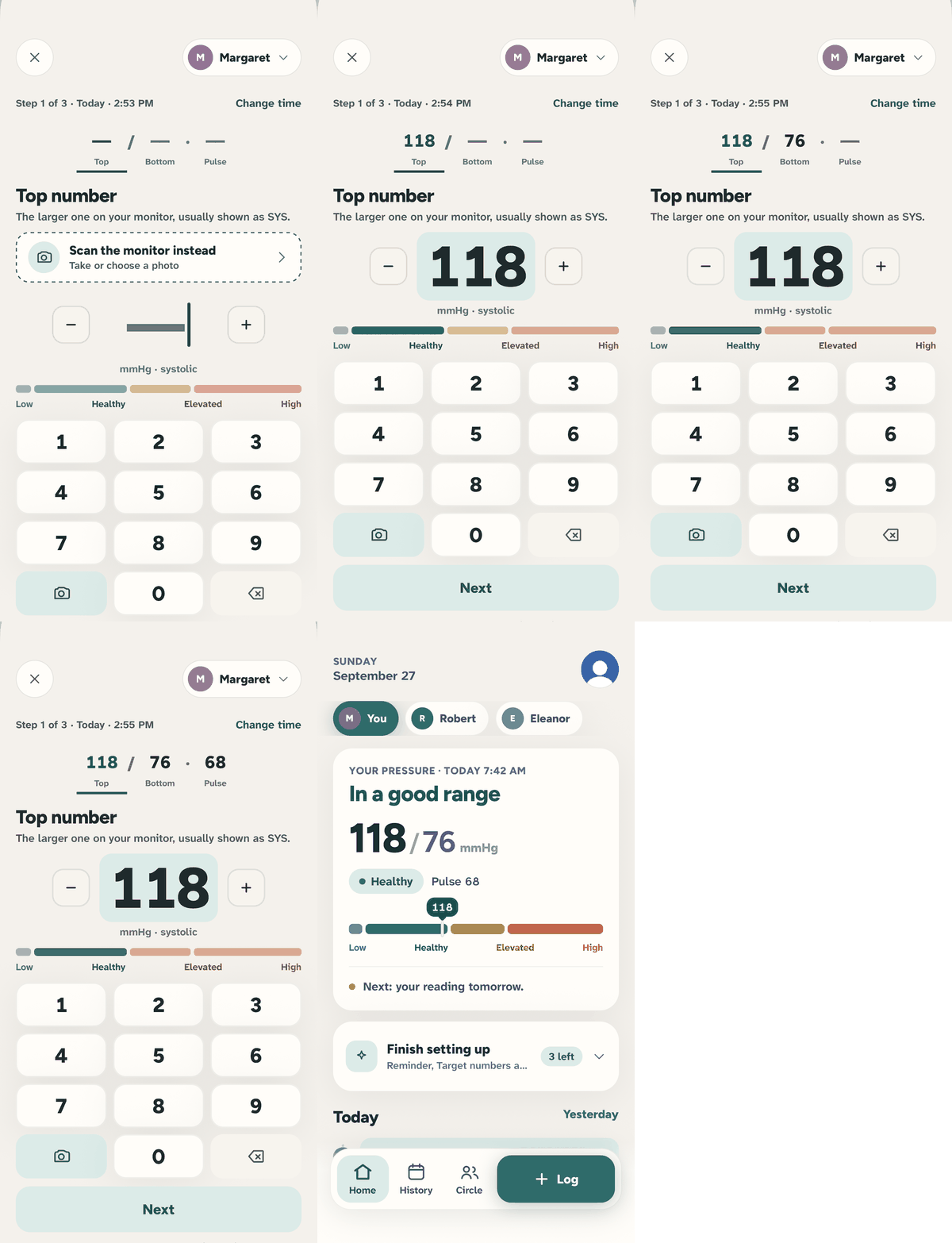
Tap Log, then type the top number, the bottom number and the pulse — the keypad moves on by itself. Or tap the camera and point it at the monitor display.
What you’ll see: The range bar shows where the number lands as you type. It's saved under the person you had selected, at the time you took it (you can change the time).
Check today at a glance
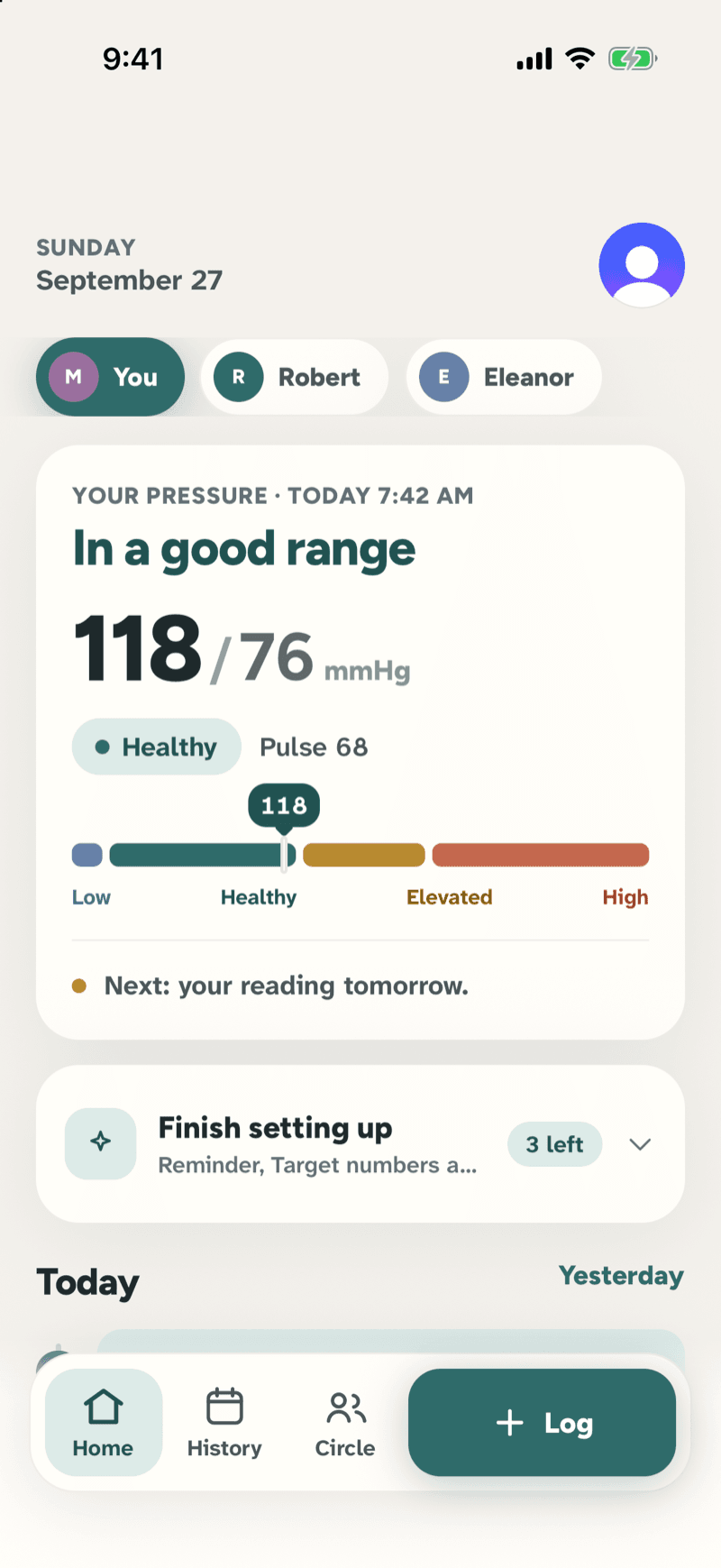
Home shows the latest reading in words and a colour, the pulse, and what comes next. Switch person with one tap on the chips at the top.
What you’ll see: 'In a good range', 118/76, Healthy — and 'Next: your reading tomorrow'. No alarm red, no medical jargon.
Watch it settle over the weeks
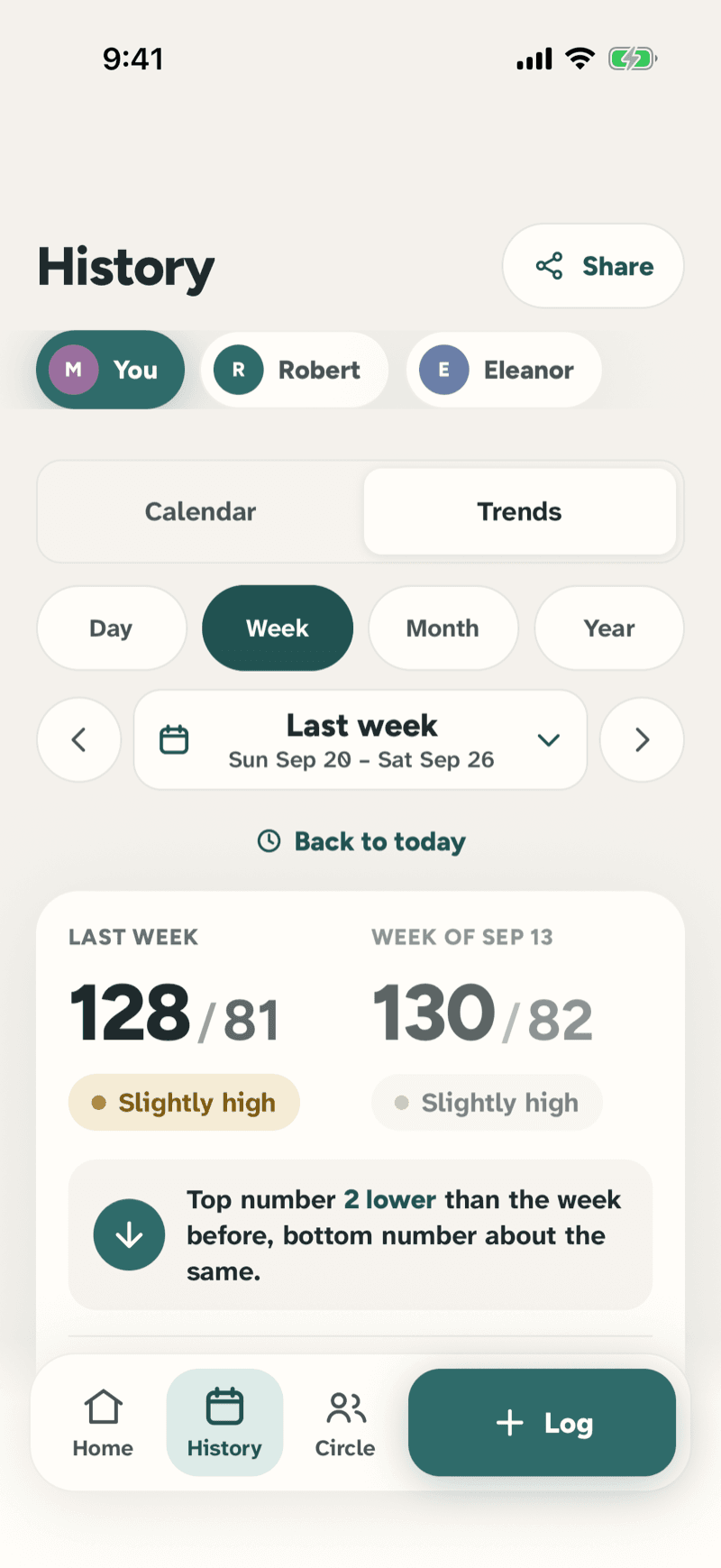
History keeps every reading grouped by day; Trends compares this week with last and says what changed in plain words.
What you’ll see: 'Top number 2 lower than last week, bottom number about the same', with the chart underneath and the healthy range marked.
Share a report with the doctor
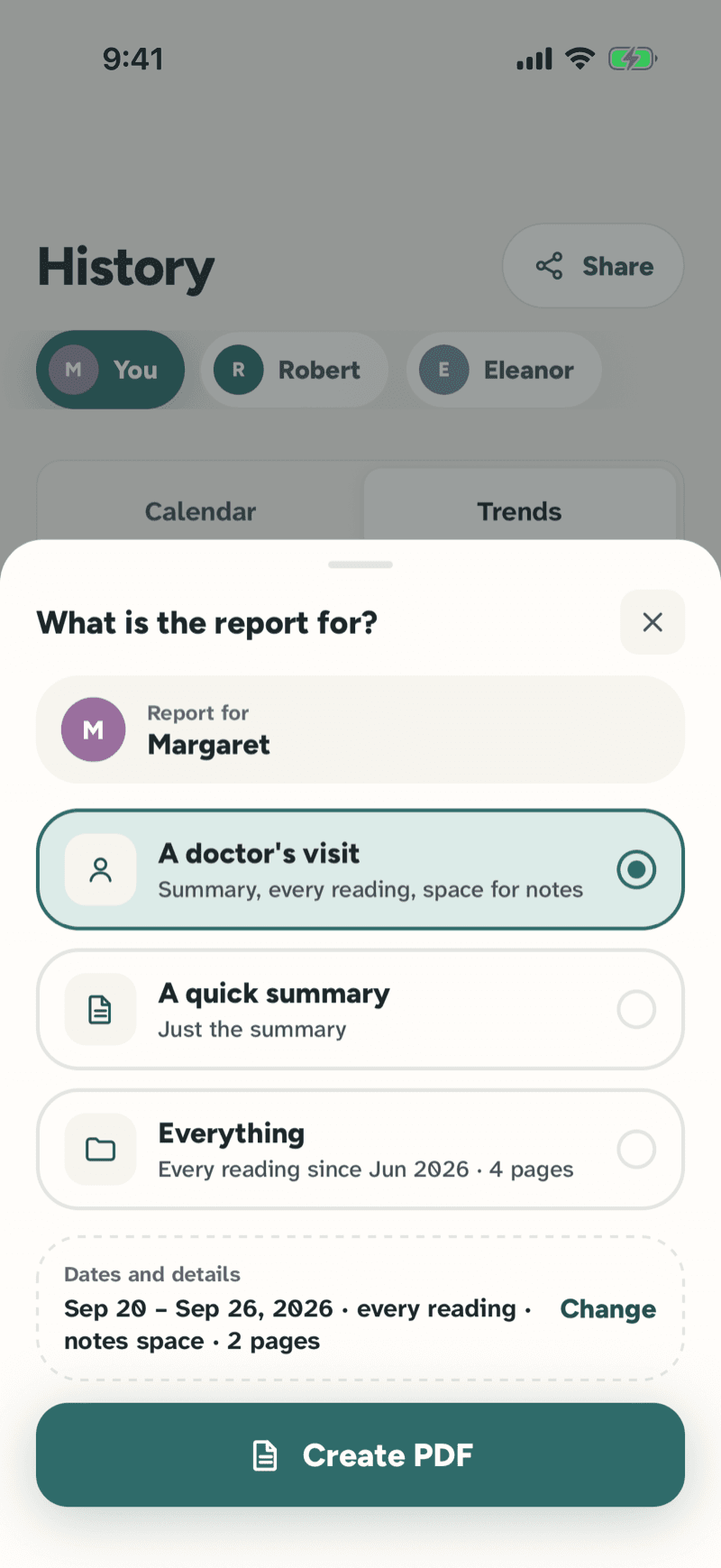
Tap Share in History and say what the report is for: a doctor's visit, a quick summary or everything. Change the dates if you need to, then Create PDF.
What you’ll see: 'Ready to share', with the page count and the dates. Look at it first, then send it by email or message, print it or save it to Files. It's made on demand and never stored on our side.
Take it anywhere you take care.
iPhone and Android apps are on the way — we’re putting the finishing touches on a calm, careful experience.
Coming soon to iPhone & Android